
Call flow
How incoming calls are answered, and which building block to use: call journeys, voice agents, menus, groups, queues and flags.
Call flow is where you decide what happens to a call once it arrives. A phone number from Phone numbers delivers each call to something that answers it, and those things live here: journeys that follow your opening hours, AI voice agents, phone menus, groups of phones that ring together, queues that hold callers, and switches that change behaviour when you're closed.
Finding your way around
The Call flow menu in the sidebar has these pages:
- Call journeys
- Voice agents
- Auto attendants
- Ring groups
- Call queues
- Service flags
A second menu, Phone tools, holds Conferences, Paging groups and Park orbits. These are handy features for your team rather than ways to answer a number.
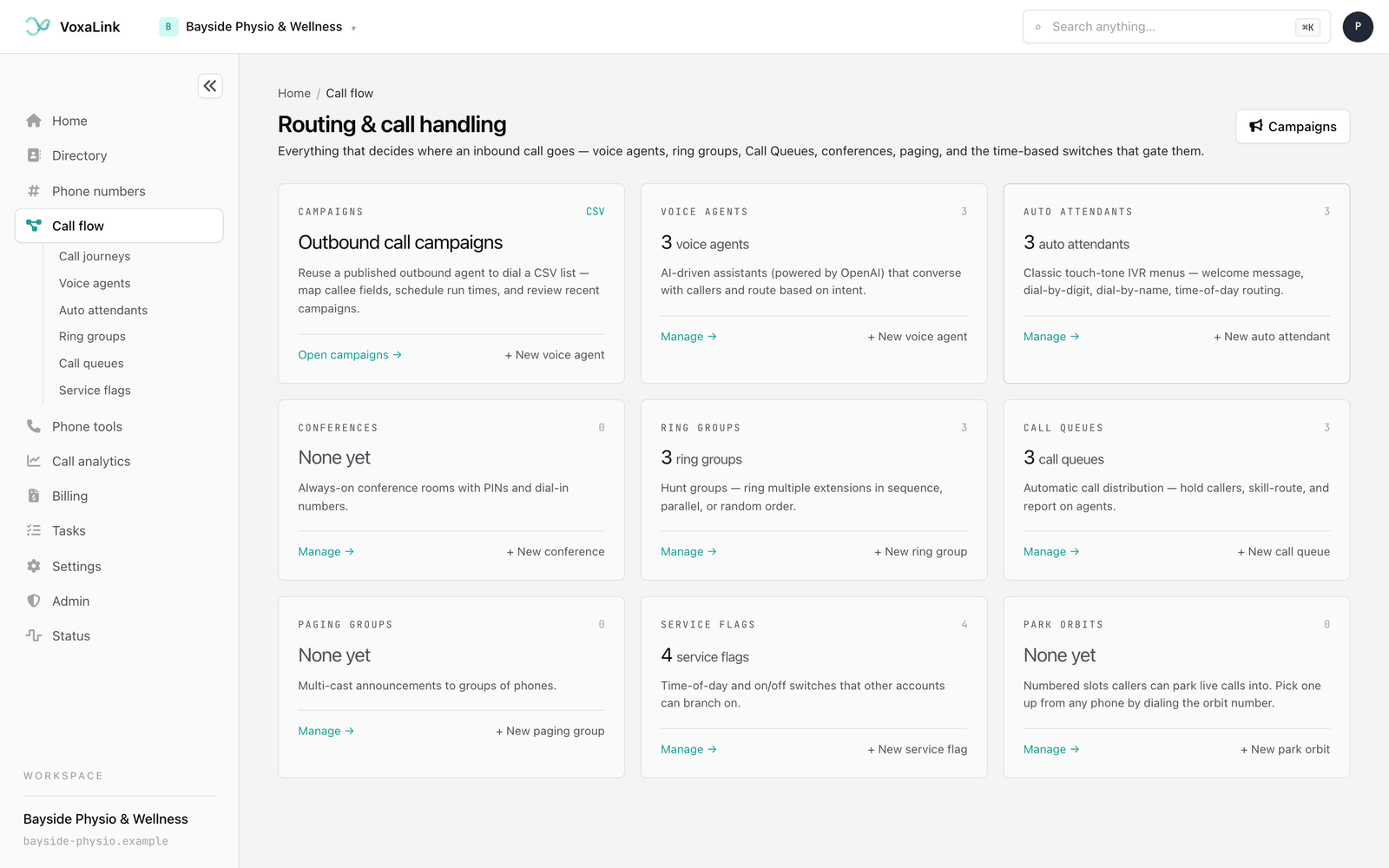
Clicking Call flow in the sidebar opens Call journeys, or Voice agents if Call journeys isn't switched on for your workspace. To see everything at once, click Call flow at the start of the breadcrumb trail on any of these pages. That opens Routing & call handling, which shows a card for voice agents, auto attendants, conferences, ring groups, call queues, paging groups, service flags and park orbits. Each card says how many you have, with a Manage → link to its list and a link to create one, such as + New ring group. There's no card for call journeys, so open those from the sidebar. The Campaigns card and the Campaigns button at the top right lead to outbound call campaigns, where a voice agent rings a list of people for you.
Which one do I need?
Most businesses start with a call journey on their main number and add the other pieces as the journey needs them. Here's how to choose.
You want a number answered differently by time of day. Use a call journey. It covers opening hours, lunch breaks, after hours, public holidays and one-off closures, plays a recorded message for each, and puts the call through to whoever should answer at that moment. It's a good place to start for a main number.
You want callers to talk to an assistant that answers questions or books appointments. Use a voice agent. It holds a real conversation, answers from what you've taught it, and can transfer the caller to a person. It answers a number of its own.
You want "press 1 for bookings, press 2 for accounts". Use an auto attendant. It's a voice menu that answers the phone and sends callers to the right place when they press a key. In a call journey it's called a phone menu.
You want a team's phones to ring for the same call. Use a ring group. It rings several people together or one after another, so reception or the physio team can be reached on one number.
You want callers to wait in line until someone is free. Use a call queue. Callers hear hold music and announcements while the queue hands calls to the next free agent. It suits busy lines like bookings, where a call should wait rather than ring out.
You want one switch that changes how calls are handled. Use a service flag. It's a shared on/off switch, such as "Open for business" or "Emergency override", that menus, groups and queues can check. Flip it, or let it follow a timetable, and everything that reads it changes together.
Call journey or service flag? Both can follow your hours. A call journey is the simpler choice for deciding how one number answers, because hours, holidays, messages and who answers sit together in four steps. Reach for a service flag when you need one switch that several menus, groups or queues all follow, or one your staff can flip by dialling it.
Phone tools cover a few things your team uses during the day:
- Conferences are dial-in meeting rooms where several people share one call.
- Paging groups make one-way announcements through the speakers of several phones at once.
- Park orbits are numbered slots where you can park a call and pick it up from any phone.
How the pieces fit together
The building blocks connect to each other. A typical setup for Bayside Physio & Wellness looks like this:
- The main number, 02 5550 1234, is assigned to a call journey.
- During opening hours the journey puts calls through to the Reception ring group.
- At lunch it sends calls to the Bookings call queue.
- After hours it plays a closed message, then the call ends.
- A second number goes straight to Maya, the voice agent, so patients can get answers outside opening hours.
Voice agents, auto attendants, ring groups, call queues, service flags and the phone tools each have an account number too. That's the internal number you dial from a desk phone to reach one directly.
Everyday tasks
- Answer the main number by opening hours → Call journeys: set your hours, write the messages, choose who answers, then assign the number.
- Build an AI receptionist that answers questions and books appointments → Voice agents: set it up, test it, then publish it on a number.
- Build a phone menu → Auto attendants: write the greeting and set where each key goes, then point a number or a journey at it.
- Make a team ring together → Ring groups: choose who rings and in what order.
- Queue callers for the next free person → Call queues: choose the agents, then what callers hear while they wait.
- Switch several things to after-hours at once → Service flags: set the flag's timetable, then have your menus, groups or queues check it.
- Open a meeting line → Conferences.
- Set up overhead paging → Paging groups.
- Add a shared hold slot → Park orbits.
Next: Call analytics, the record of every call these building blocks handled.