
Park orbits
Numbered slots to park a live call and retrieve it from any phone.
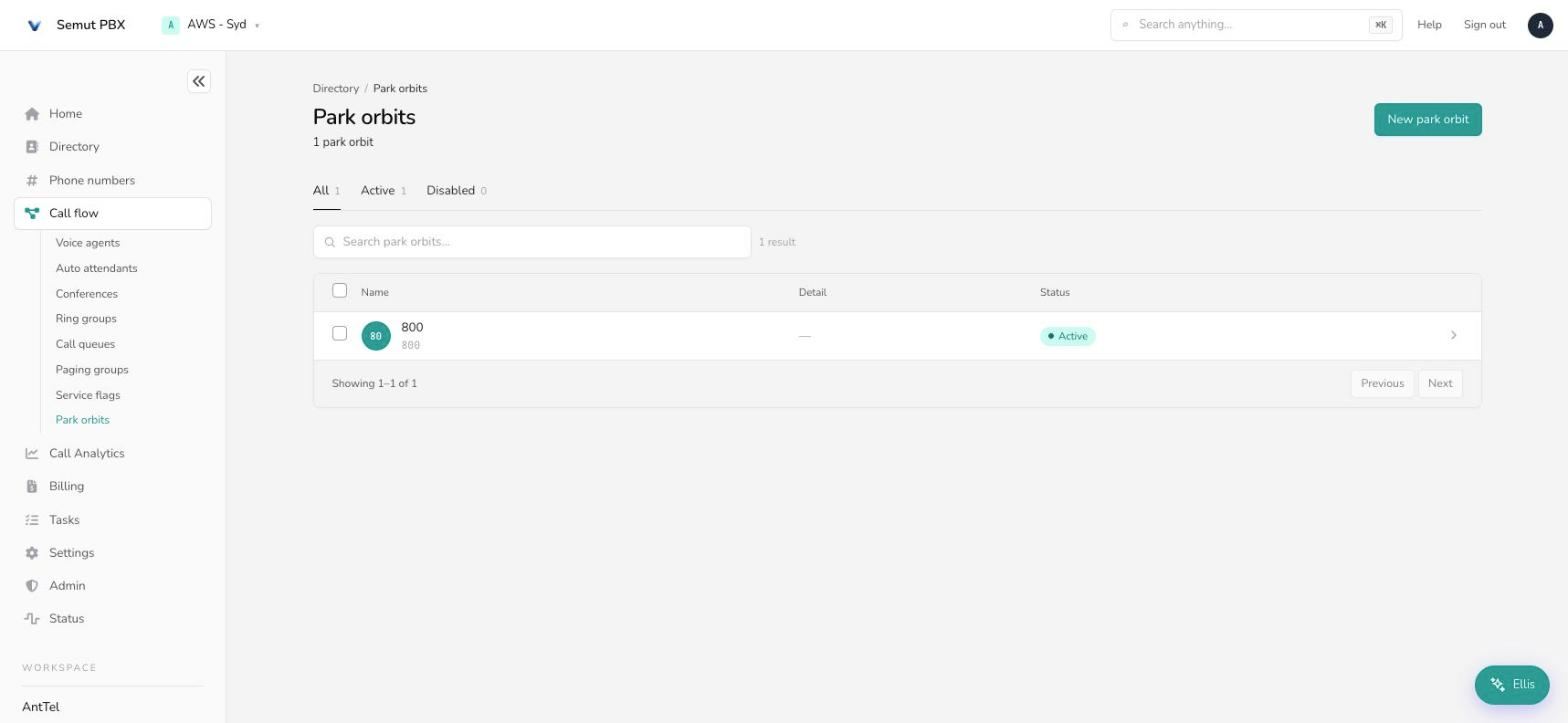
A park orbit is a numbered slot where a live call can be parked. Anyone with permission can retrieve it from any phone by dialing the orbit — not just the phone that parked it. Find them under Call flow → Park orbits.
Park orbit vs. Hold Putting a call on hold freezes it on that one phone — only the person who held it can pick it back up, and only from that same phone. Parking a call puts it into a shared, numbered orbit that anyone with access can retrieve, from any extension. Use hold for "give me a second"; use a park orbit when you want to say "I'm parking this on 701, can someone in the warehouse grab it?"
How a park orbit works
- A call in progress is transferred (or "parked") into an orbit's account number — for example
701. - The orbit plays back a short message confirming the park — either reading out the orbit number or a short tone — so whoever parked it knows where to tell someone to retrieve it.
- Anyone with permission dials the orbit number from any phone to pick the call back up.
- If nobody retrieves it in time, the park reminder calls back — by default to whoever parked it — after the configured delay, optionally paired with an audible page.
Each orbit holds exactly one call. There's no capacity setting to raise — if you need to park more calls at once, create more orbit accounts (701, 702, 703, and so on) rather than looking for a limit to increase.
Retrieval works two ways: dialing the orbit's own account number directly, or (if your tenant has configured it) a shared retrieve prefix under Star codes followed by the orbit number. Desk-phone BLF keys can be wired to either.
Creating a park orbit
On the Call flow page (Routing & call handling), open the Park orbits card and choose New. Give it an account number (the number staff dial to park and retrieve calls) and a name, then open it and work through the Edit tab.
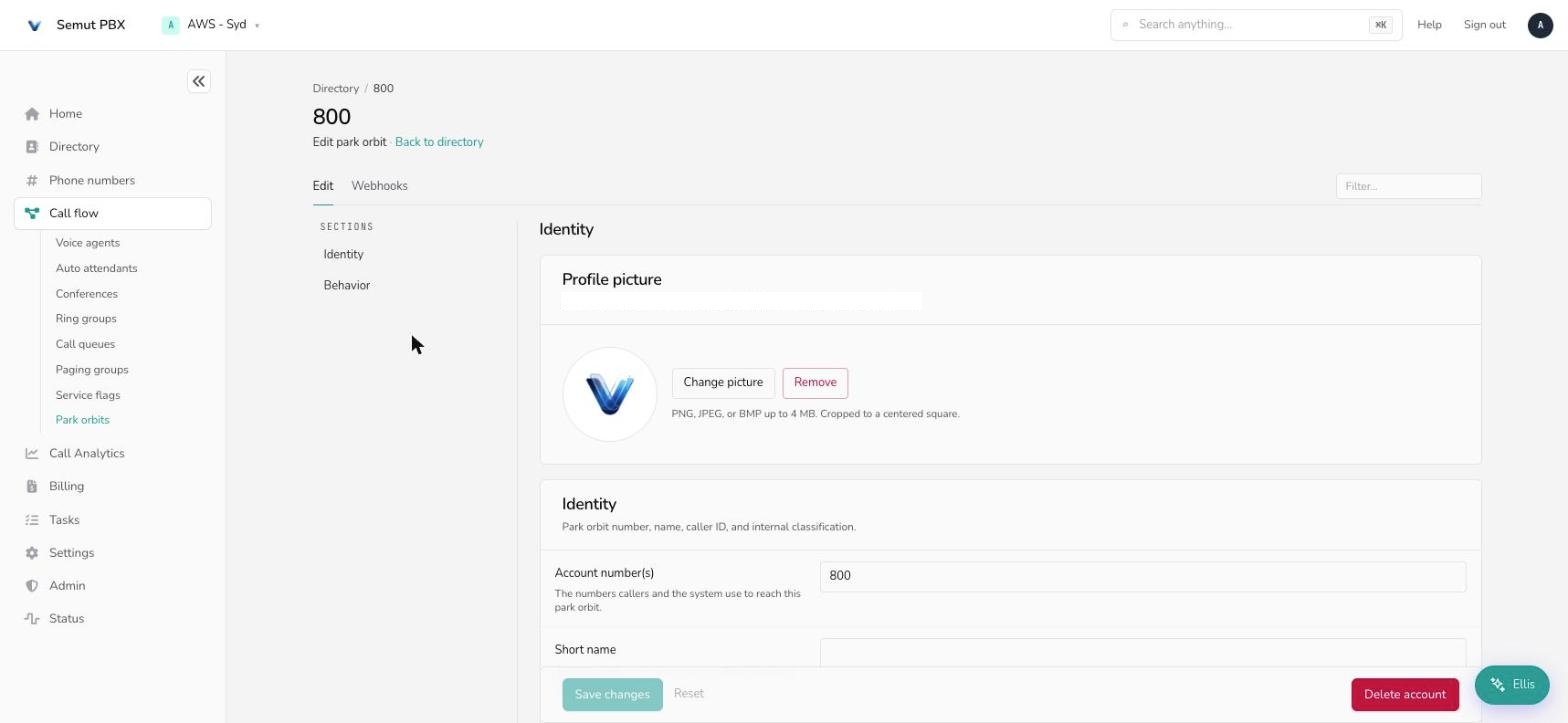
The Edit tab
Identity
- Account number(s) — the number(s) used to park a call into this orbit and retrieve it again.
- Name / Short name — the full name (admin lists), and a short version for cramped phone soft-labels.
- Pronunciation — how text-to-speech should say the name.
- Caller ID — the outbound caller-ID shown if the orbit ever routes a call externally.
- Account class name — an optional billing/reporting tag.
- Note field — admin-only notes; the system ignores it.
Behavior
- Music on Hold source — what a parked caller hears while waiting to be picked up.
- Park reminder — how long to wait before calling back about an unretrieved parked call: off, 20–40 seconds, 1–5 minutes, 10 minutes, or 20 minutes.
- Call a specific number after park reminder — by default the reminder calls back whoever parked the call; set a destination here to send it somewhere else instead (a ring group, for example).
- Page reminder — layer an audible broadcast reminder over a paging group on the same schedule as the park reminder.
- Page account — which paging group carries that broadcast.
- Allow access to agents of groups — pick queues or ring groups whose members are automatically allowed to retrieve calls from this orbit, without listing every extension individually.
- Message after parking the call — read the orbit number back to whoever parked the call, or just play a short confirmation tone.
Webhooks
Park orbits carry the same lifecycle webhook fields as other call-flow objects (call started, connected, DND, emergency, mailbox, and hotel-specific room-cleaned events) — see the Webhooks tab if you need to notify an external system when a call is parked, retrieved, or times out.
A worked example — warehouse handoff
A retail office wants front-desk staff to park incoming supplier calls for whoever's free in the warehouse to pick up, with a safety net if nobody grabs it.
- Create the orbit from Call flow → Park orbits → New as account
701. - Allow access to agents of groups → the warehouse ring group, so every warehouse phone can retrieve without listing each one.
- Message after parking the call → read out the park orbit number, so front desk hears "seven-oh-one" and can announce it.
- Park reminder → 1 minute, with Page reminder pointed at the warehouse paging group, so an unclaimed call gets broadcast automatically instead of quietly ringing back the front desk.
- Front desk parks a call by transferring it to
701, then pages or calls out "line 701 for receiving" — anyone in the warehouse dials701to pick it up.
Everyday tasks
- Hand a call to whoever's free, not one specific person → park it in an orbit instead of transferring to an extension.
- Park more than one call at a time → create additional orbit accounts (
701,702,703…) — each orbit holds one call. - Make sure a parked call doesn't get forgotten → set a Park reminder so it calls back if nobody retrieves it in time.
- Broadcast that a call is waiting → pair the orbit with a Page reminder and Page account.
- Let a whole team retrieve, not just one phone → set Allow access to agents of groups to the relevant ring group or call queue.