
08Chapter 8 of 22
monday CRM
Connect VoxaLink to monday CRM so call activities are written to your Activities Board against the matching contact and the right agent.
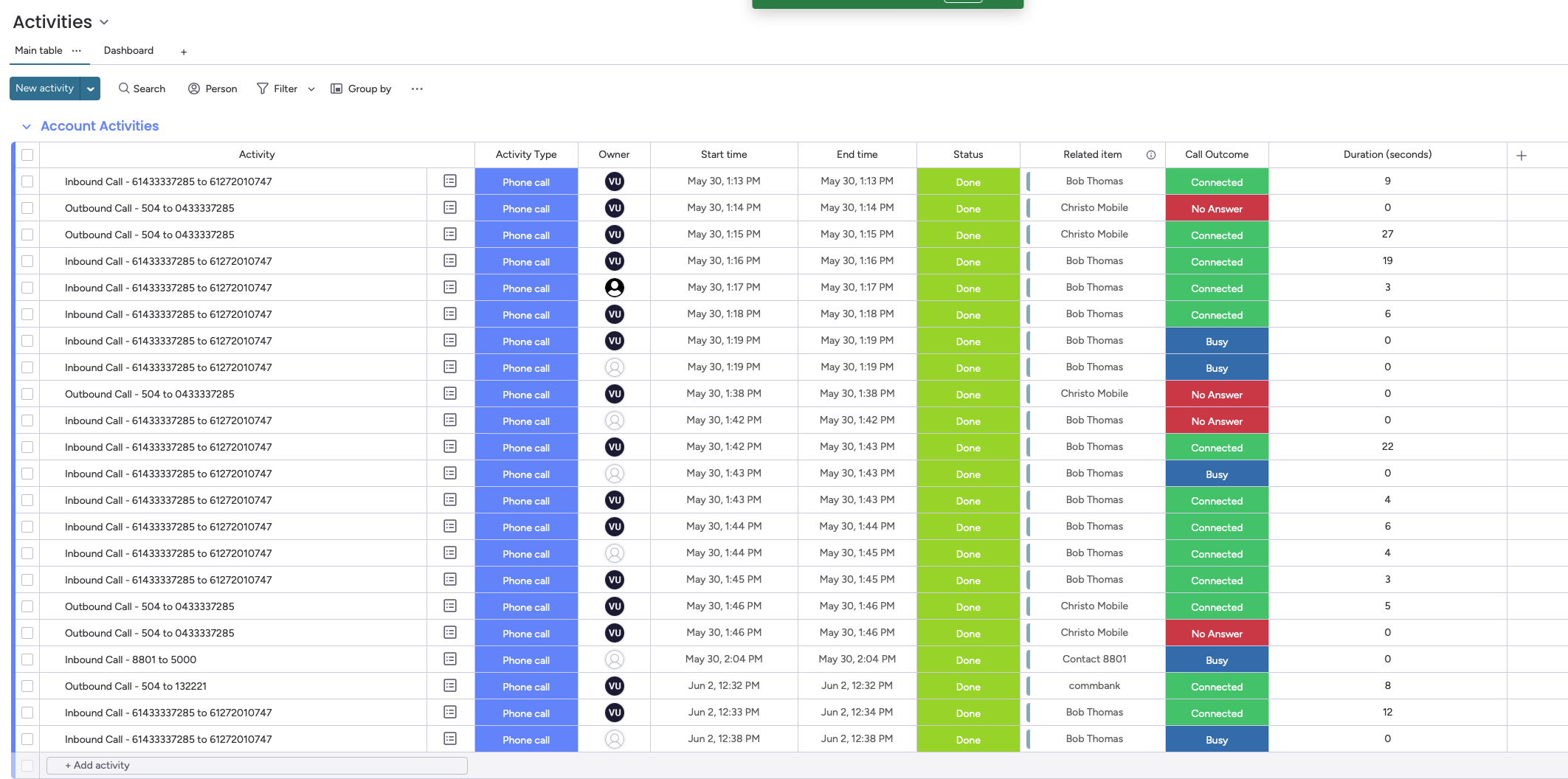
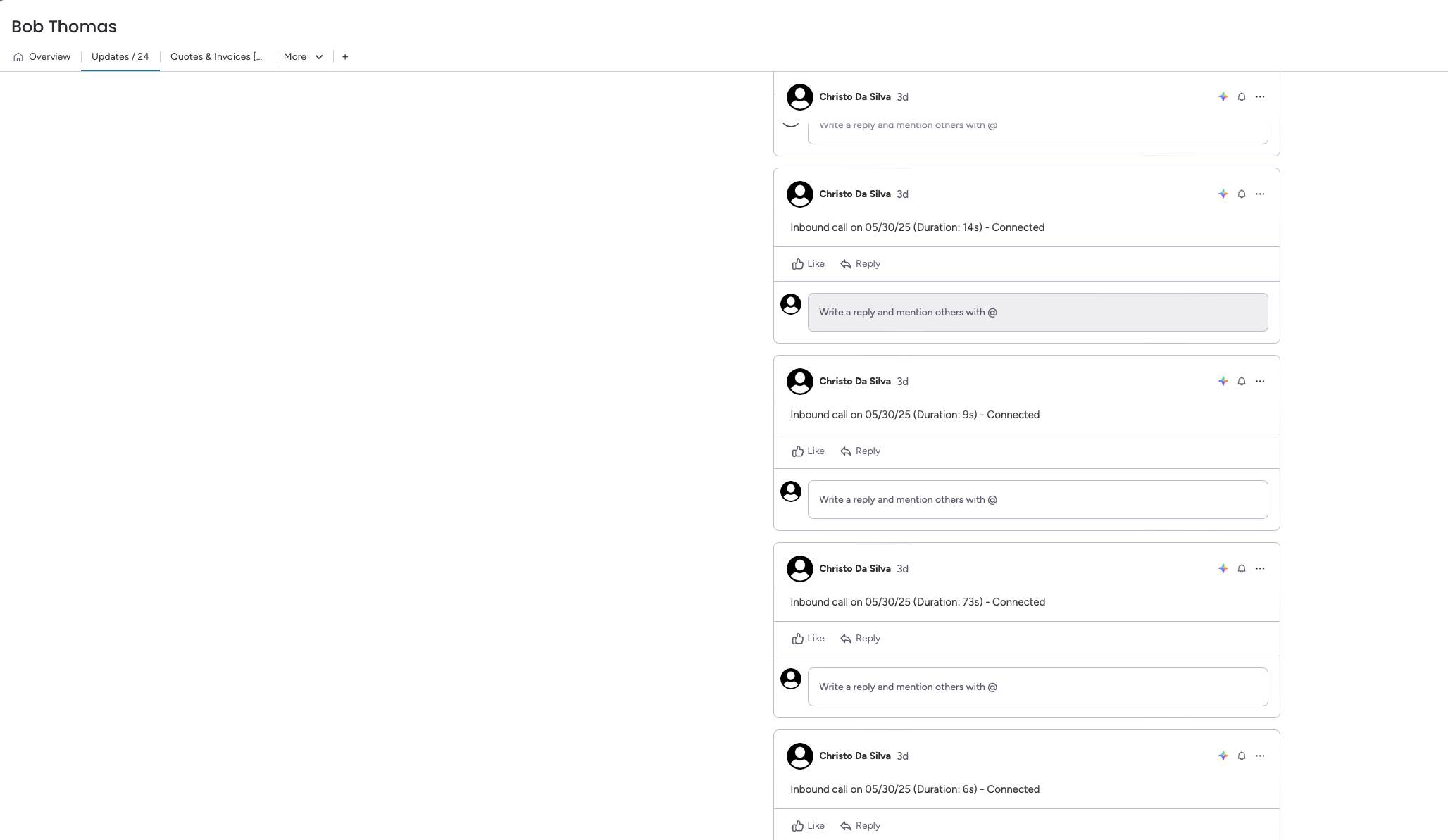
The monday CRM integration links your phone system to your monday.com workspace. When a call happens, VoxaLink looks the number up on your Contacts Board, finds the matching contact, and writes the call activity to your Activities Board — duration, outcome, start and end times, and direction — with the activity linked to that contact. It can also create a contact for numbers it doesn't already find.
Two things have to line up for this to work reliably, and both catch people out — read Before you connect first.
Before you connect
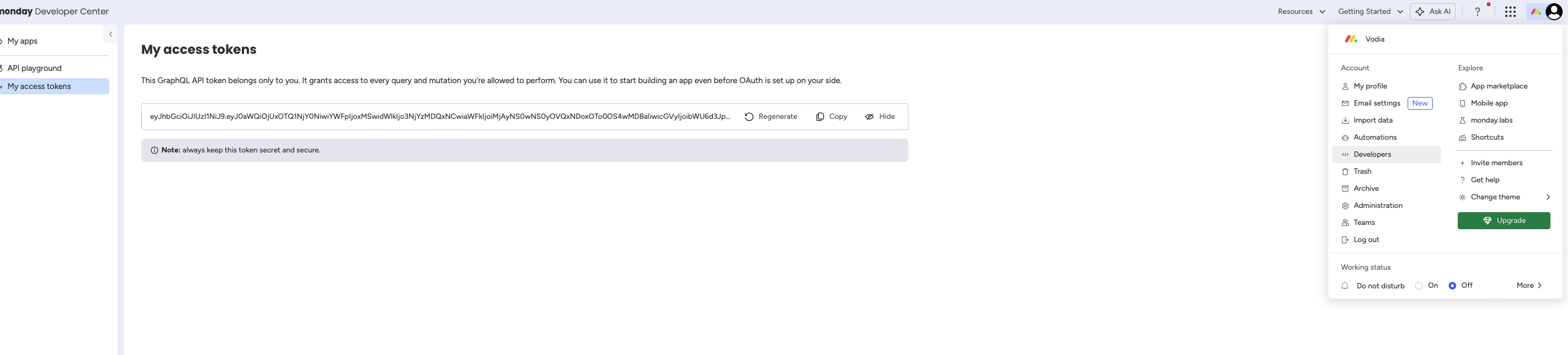
- A monday.com workspace you have permission to use, with a Contacts Board and an Activities Board set up, and an API token with read/write access. Generate the token in monday.com under Account → Developers settings.
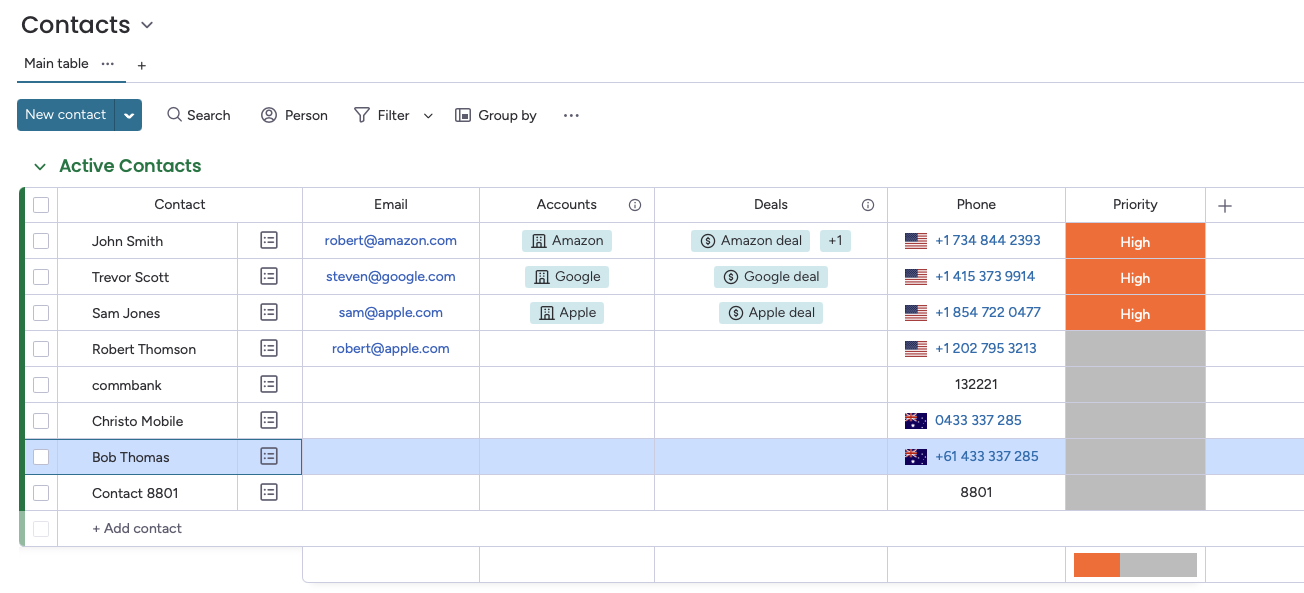
- Phone numbers on your Contacts Board must be stored in the same format VoxaLink uses. Matching is exact — if the formats differ, the lookup finds nothing and no contact matches. Check how a number appears in Call Analytics (Call Analytics) and store contacts in monday the same way (VoxaLink presents numbers in full international form, e.g.
+61…). - Each person's email in VoxaLink must match their email in monday.com. Calls are attributed to the monday user whose email matches the VoxaLink extension on the call. Set the extension's email under Directory → the person → Email (Directory).
Connect monday CRM in VoxaLink
- Open Admin → CRM Integrations and find monday CRM under CRM.
- Click Configure. In the dialog:
- Apply to — All accounts (tenant-wide), or a single permission group.
- API token — paste the read/write token you generated in monday.com.
- Contacts Board and Activities Board — enter the names of the two boards to use.
- Click Save.
What happens on a call
- Matching — VoxaLink matches the number to a contact on your Contacts Board and writes the call activity to your Activities Board (duration, outcome, start/end times, direction), linked to that contact.
- Unknown numbers — a contact is created automatically for unrecognised numbers, on both inbound and outbound calls.
Troubleshooting
- No contact matches — almost always a number-format mismatch; compare Call Analytics (Call Analytics) with how the number is stored on your Contacts Board.
- Attributed to the wrong agent — the extension email doesn't match the monday user's email (Directory).
- Nothing writes to the Activities Board — check the API token has read/write permission and that the board names entered match exactly.