
Zammad
Connect VoxaLink to Zammad's CTI so calls show the caller, agent, status and metrics in Zammad's caller log, inbound and outbound.
The Zammad integration links your phone system to Zammad's caller log using Zammad's built-in CTI feature. When a call happens, Zammad shows who's calling, which agent is handling it, the live call status, and the call metrics. This is a caller-log integration — it surfaces call information inside Zammad rather than writing call records the way the CRM connectors do.
Connecting it takes two things from Zammad: your Zammad hostname, and an API token.
Before you connect
- A Zammad account with access to Settings → System → Integrations.
- A recent platform version. This integration needs VoxaLink v69 or later.
- CTI enabled in Zammad. Go to Settings → System → Integrations → CTI (generic) and turn it on.
- A Zammad API token, and your Zammad hostname (for example
support.example.com). You'll paste both into VoxaLink.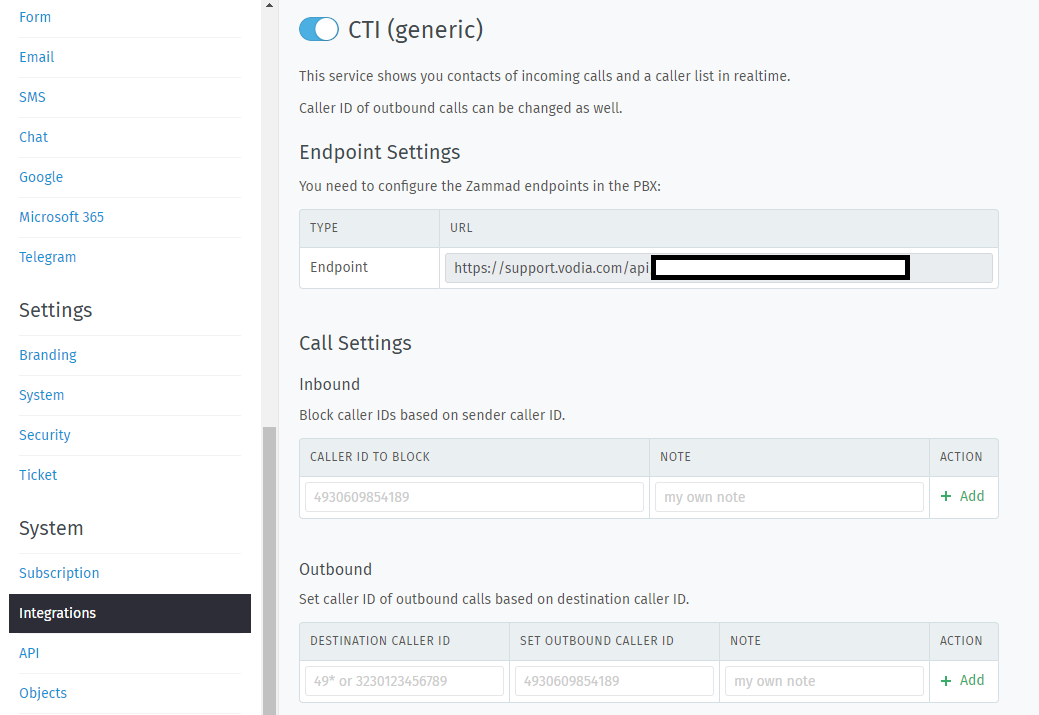
Set it up in VoxaLink
- In Zammad, open Settings → System → Integrations → CTI (generic) and enable it.
- In Zammad, create an API token with access to the caller log.
- In VoxaLink, open Admin → CRM Integrations and find Zammad.
- Click Configure. In the dialog:
- Apply to — All accounts (tenant-wide), or restrict it to a single permission group.
- FQDN — your Zammad hostname on its own, like
support.example.com. Don't includehttps://or a trailing path. - API token — the token you created in step 2.
- Click Save.
The caller log starts updating on the next call.
How it behaves
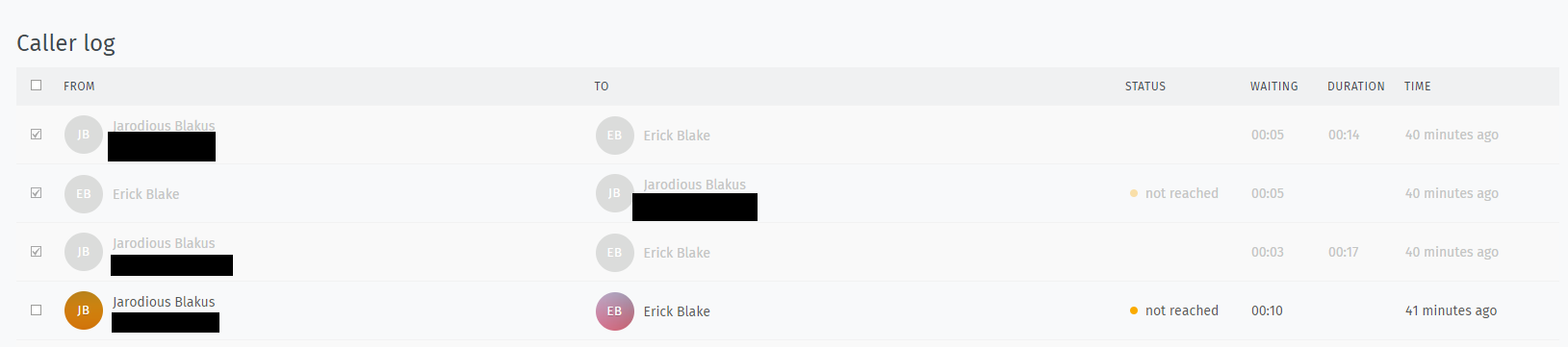
On a call — inbound or outbound — Zammad's caller log shows:
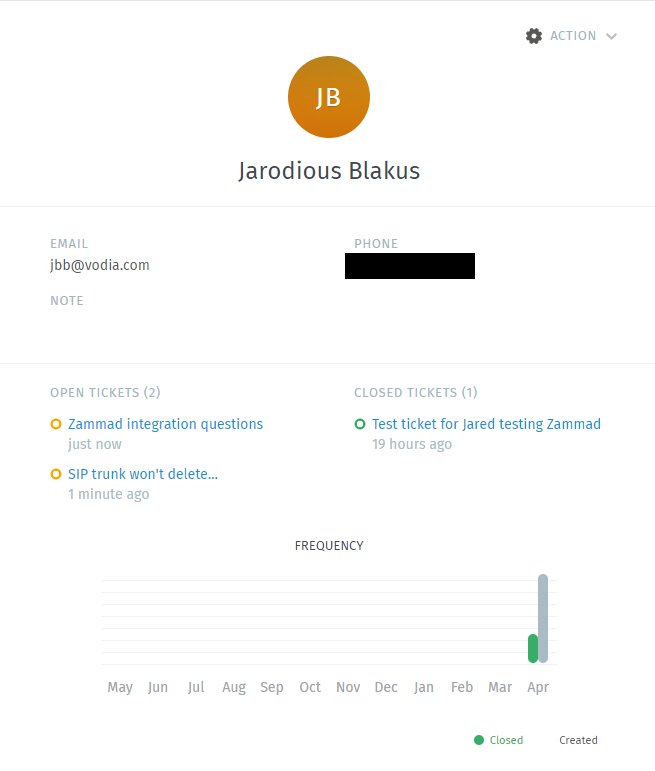
- The caller, automatically matched against Zammad's contacts.
- The agent handling the call.
- The call status — Ringing, Connected or Missed.
- The metrics — ring time, duration and timestamp.
Clicking a matched contact opens that person's ticket dialogue or their profile, so an agent can pick up the conversation straight away.
Limitations
- Caller log only. You can't make or receive calls from inside Zammad — the integration displays call information, it isn't a softphone.
- Click-to-dial needs the desktop app. Dialling from Zammad requires the VoxaLink desktop app.
Troubleshooting
- The caller log doesn't update — check the FQDN is a bare hostname with no
https://and no trailing path, confirm the API token is still valid, and confirm CTI is enabled in Zammad. - Calls don't appear for a team — check the Apply to scope; if it's restricted to a group, only that group's calls show.
- Can't dial from Zammad — that's expected; click-to-dial runs through the VoxaLink desktop app, not Zammad itself.