
06Chapter 6 of 22
HighLevel
Connect VoxaLink to HighLevel so call activity is logged against the matching contact and unknown callers are added automatically.
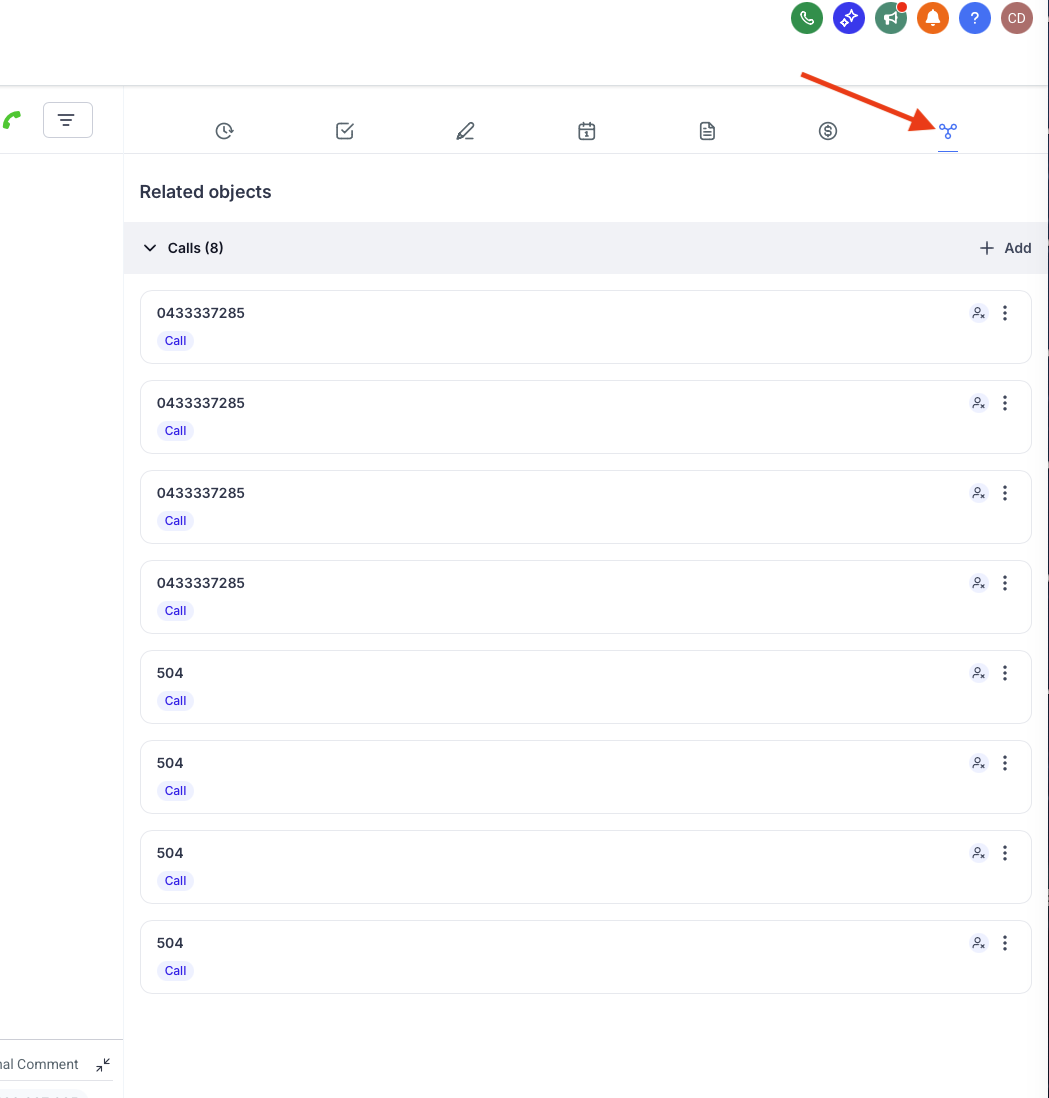
The HighLevel integration links your phone system to your HighLevel sub account. When a call happens, VoxaLink looks the number up in HighLevel, finds the matching contact, and logs the call against it. Logged calls are written as a custom object called Calls, so each one appears under the Calls menu and on the contact's Associations. This is a logging integration rather than a live screen pop. VoxaLink can also create a contact for numbers HighLevel doesn't already have.
Number formatting is the thing that trips people up, so read Before you connect first.
Before you connect
- A HighLevel account you can sign in to and authorise when prompted, with at least one sub account — the integration is tested against sub accounts only.
- Phone numbers in HighLevel must be stored in the same format VoxaLink uses. Matching is exact, with no normalisation — if the formats differ, the lookup finds nothing and nothing is logged. Check how a number appears in Call Analytics (Call Analytics) and store contacts in HighLevel the same way (VoxaLink presents numbers in full international form, e.g.
+61…).
Connect HighLevel in VoxaLink
- Open Admin → CRM Integrations and find HighLevel under CRM.
- Click Configure. In the dialog:
- Apply to — All accounts (tenant-wide), or a single permission group.
- Authentication type — whitelabel or standard, to suit your HighLevel setup.
- Get OAuth Token — sign in to HighLevel, select the sub account to use, and approve the requested permissions. There's no key to type by hand.
- Click Save.

What happens on a call
- Matching — VoxaLink matches the number to a HighLevel contact and logs the call to it as a Calls record, visible under the Calls menu and on the contact's Associations.
- Unknown numbers — if enabled, an incoming call from an unrecognised number creates a HighLevel contact, tagged so call-created records are easy to find.
Limitations
- The integration is tested with sub accounts only.
- Very short calls may not be recorded.
- Internal extension-to-extension calls aren't synced.
- OAuth tokens can expire over time, after which logging stops until you reconnect.
Troubleshooting
- Nothing logs against a contact — almost always a number-format mismatch; compare Call Analytics (Call Analytics) with how the number is stored in HighLevel.
- A known short call is missing — very short calls may not record; this is expected.
- Logging stopped altogether — the OAuth token may have expired; re-run Get OAuth Token.